
How it works
How it stays private.
Stonekept lives across your iPhone, your Mac, and if you want it, Claude Desktop. Here is what happens to a recording at every step, shown in the real app. No marketing fog. No claims you can't verify.
Start with a tap.
Tap record on any of your devices. A Live Activity shows you're recording, with a timer, and in the app the equalizer moves with your voice. A recording can be as short as a thought or as long as a whole afternoon.
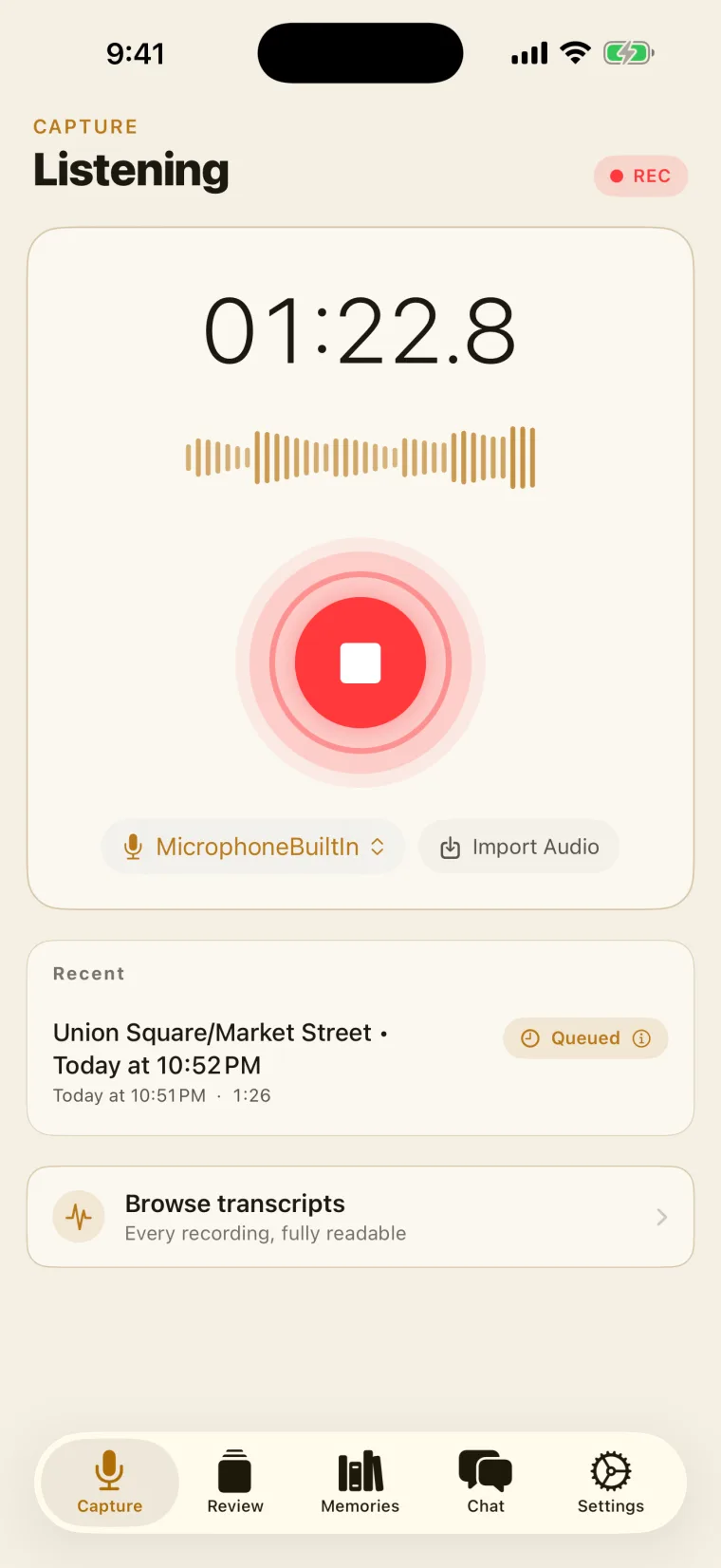
Already have a recording? Bring it.
Drop in a Voice Memo, a handheld recorder file, a meeting export, or an old interview. We take m4a, mp3, wav, aiff, flac, and opus, and it picks up the same on-device path as a live session.
Local AI gets to work.
As soon as the recording is over, your iPhone transcribes it 100% locally. If you recorded on your Apple Watch, the Watch sends the recording to your iPhone to transcribe.
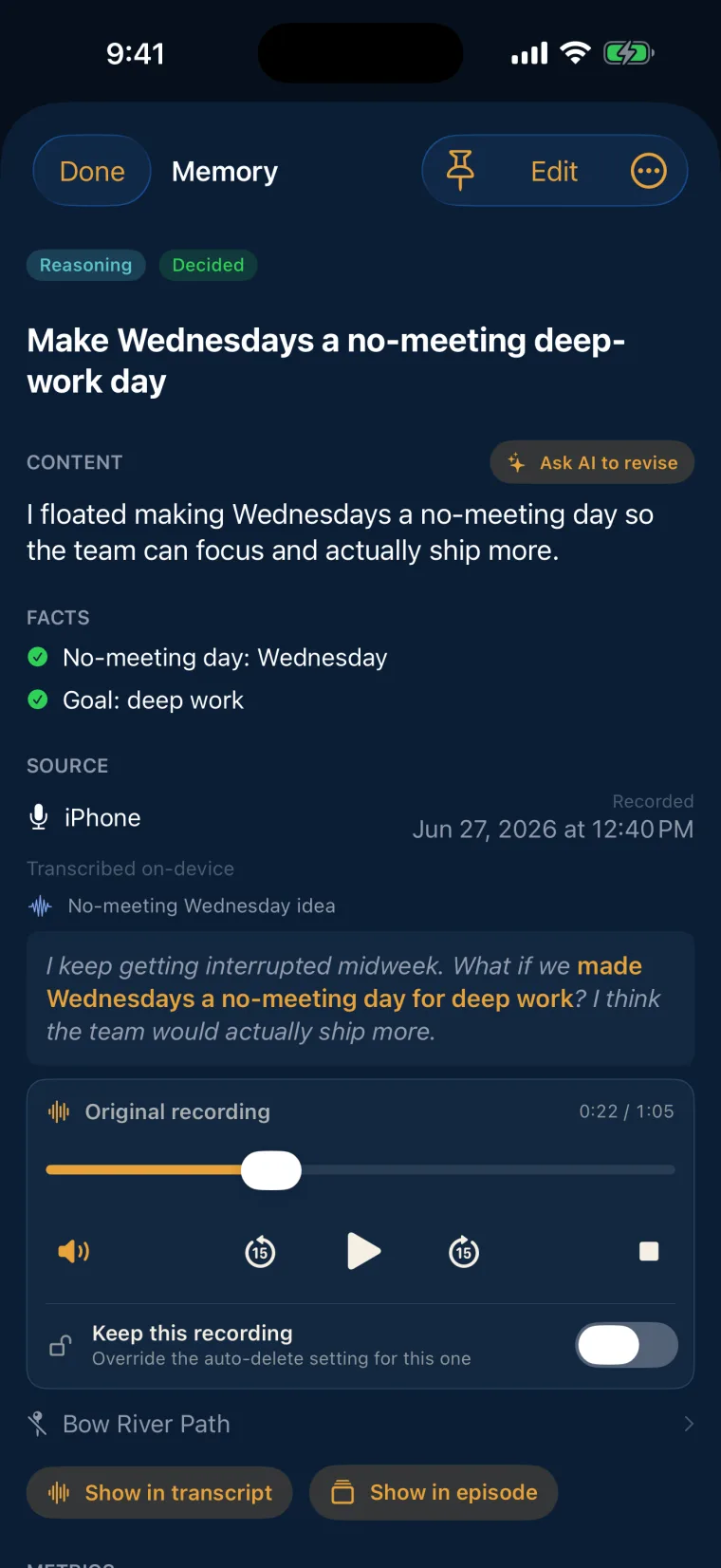
Your memory is created.
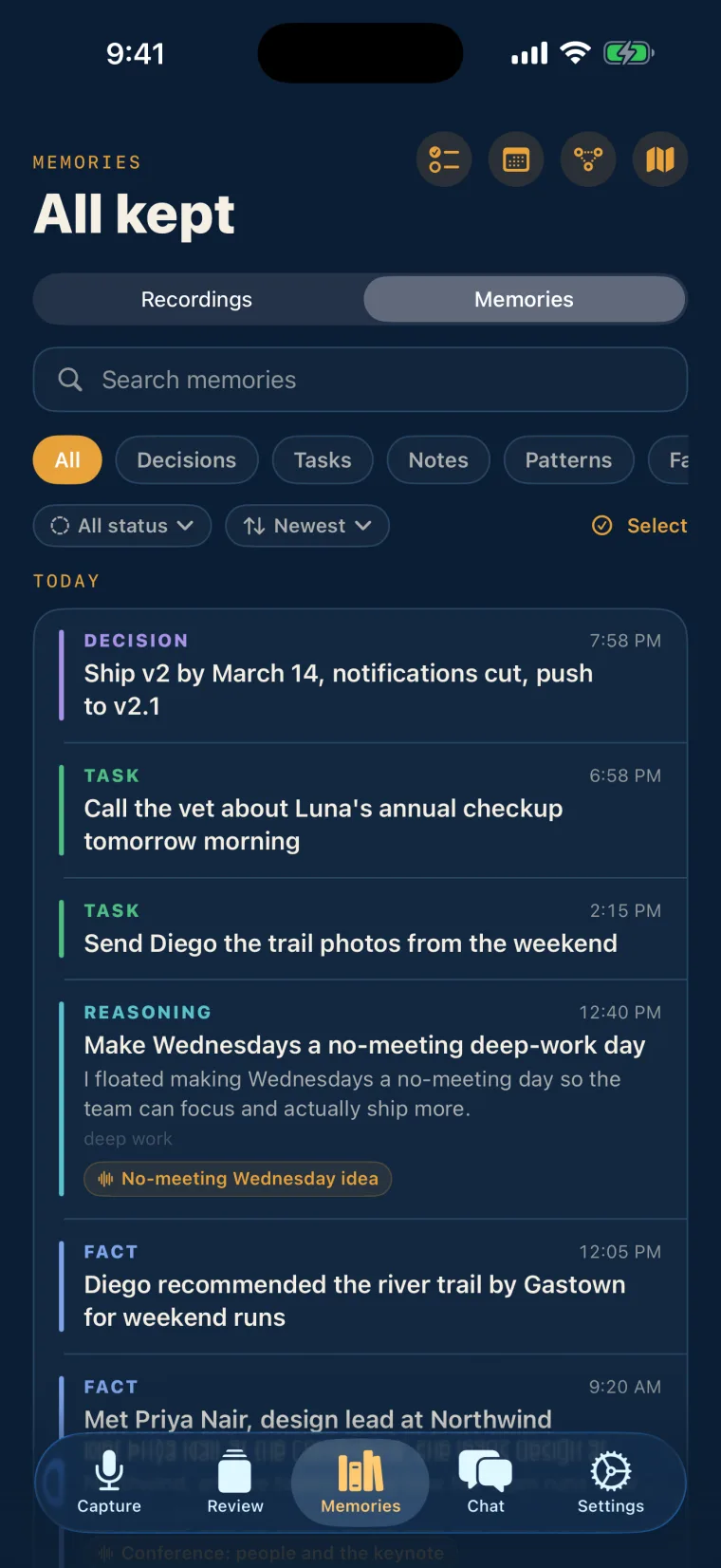
Nobody listens to a 47-minute file over and over. Stonekept's on-device AI pulls out the memories worth keeping, connects them to the audio from that moment, and keeps them together so you can search them easily, anytime.
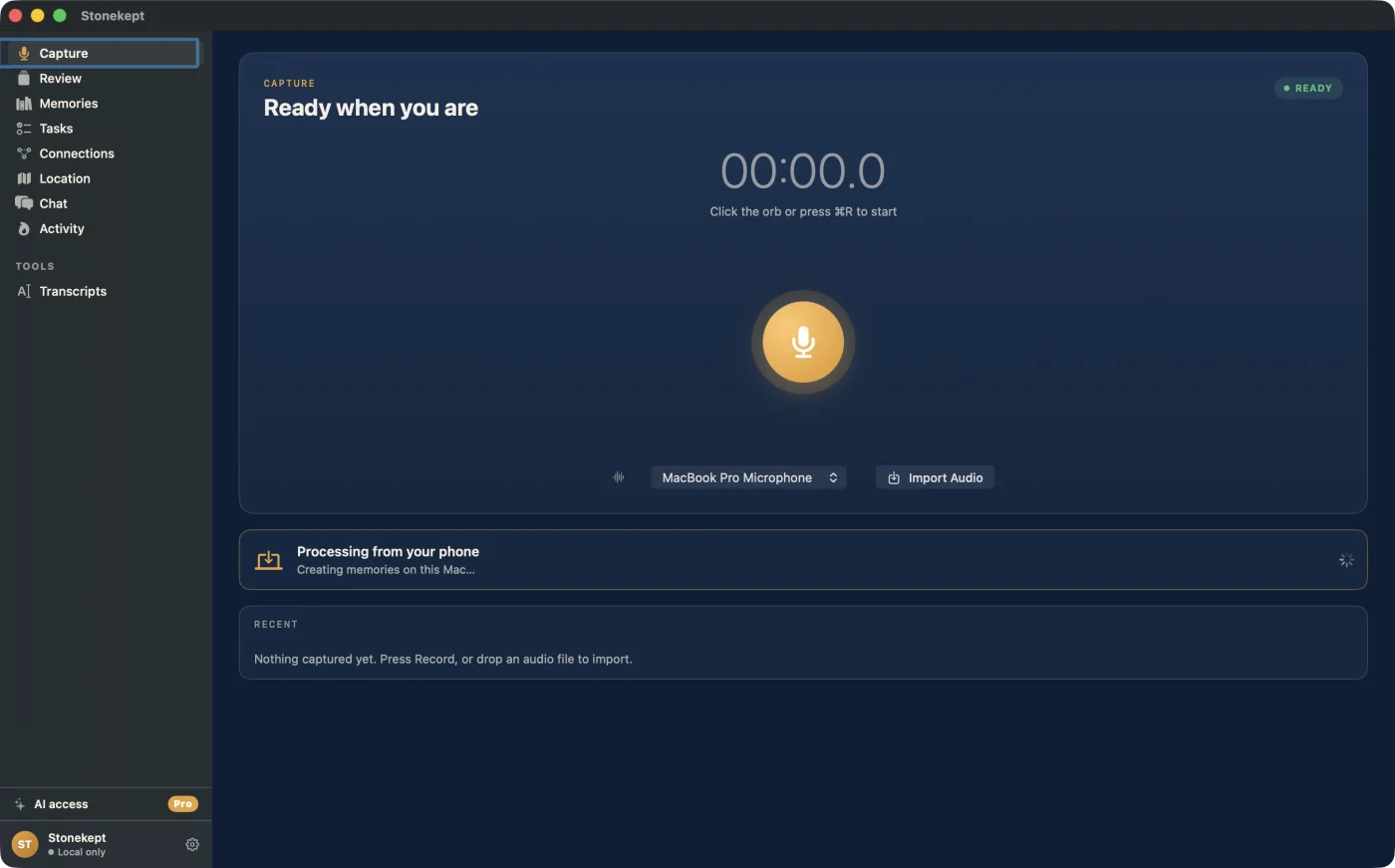
Hand the heavy lifting to your Mac.
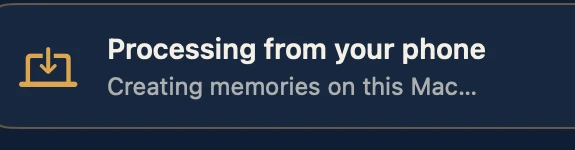
Extraction is the heavy part, and on iPhone it runs in the foreground while the app is open. Pair a Mac and Desktop Assist takes over: it runs the larger model, finishes hands-off, and spares your phone's battery. Your captures land in Memories either way.
The phone captures. The Mac does the heavy lifting.
Review what's worth keeping.
The app creates memory cards that show everything that was captured. Save or toss the whole memory, or open it up and keep parts of it.
Sync without seeing inside.
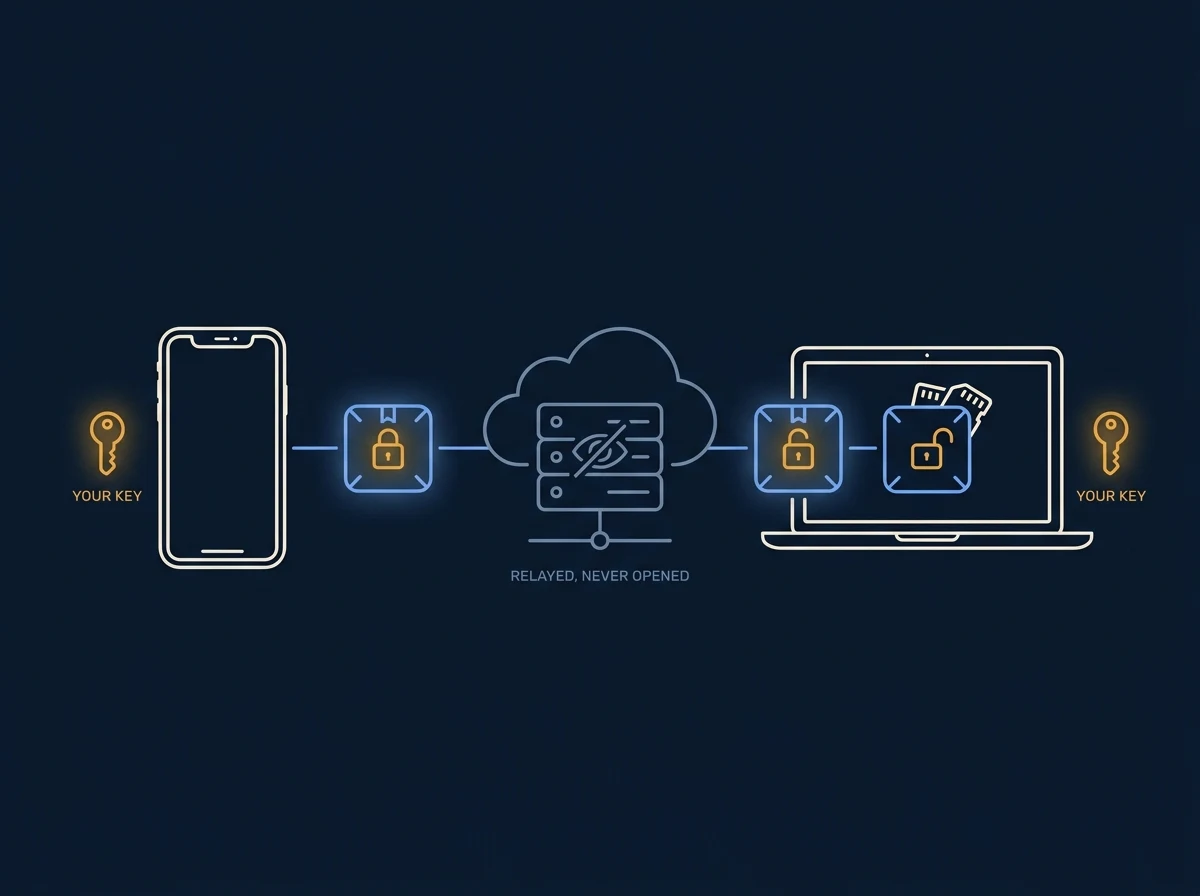
Add a second device and your memories follow you. Each one is locked on-device with a key only your devices hold. We move the locked package through our servers but can never open it. The keys never leave your hardware, so your memories stay yours alone, readable by you and no one else, not even us.
Encrypted in transit and at rest. End to end. Real.
Chat locally about your memories.
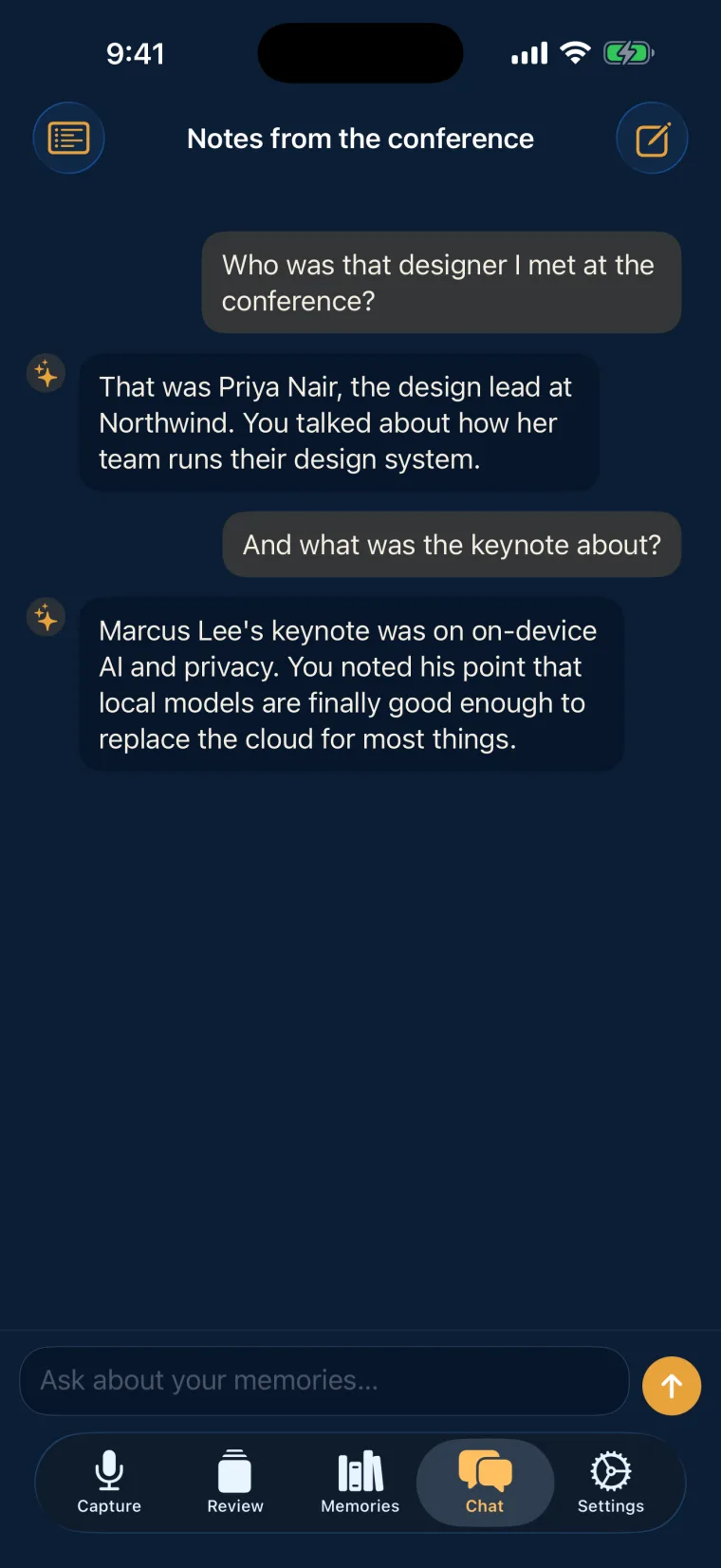
You can chat with the in-app local AI about your memories. No conversations leave your phone, and everything stays 100% on your device.
Bring your memory to Claude.
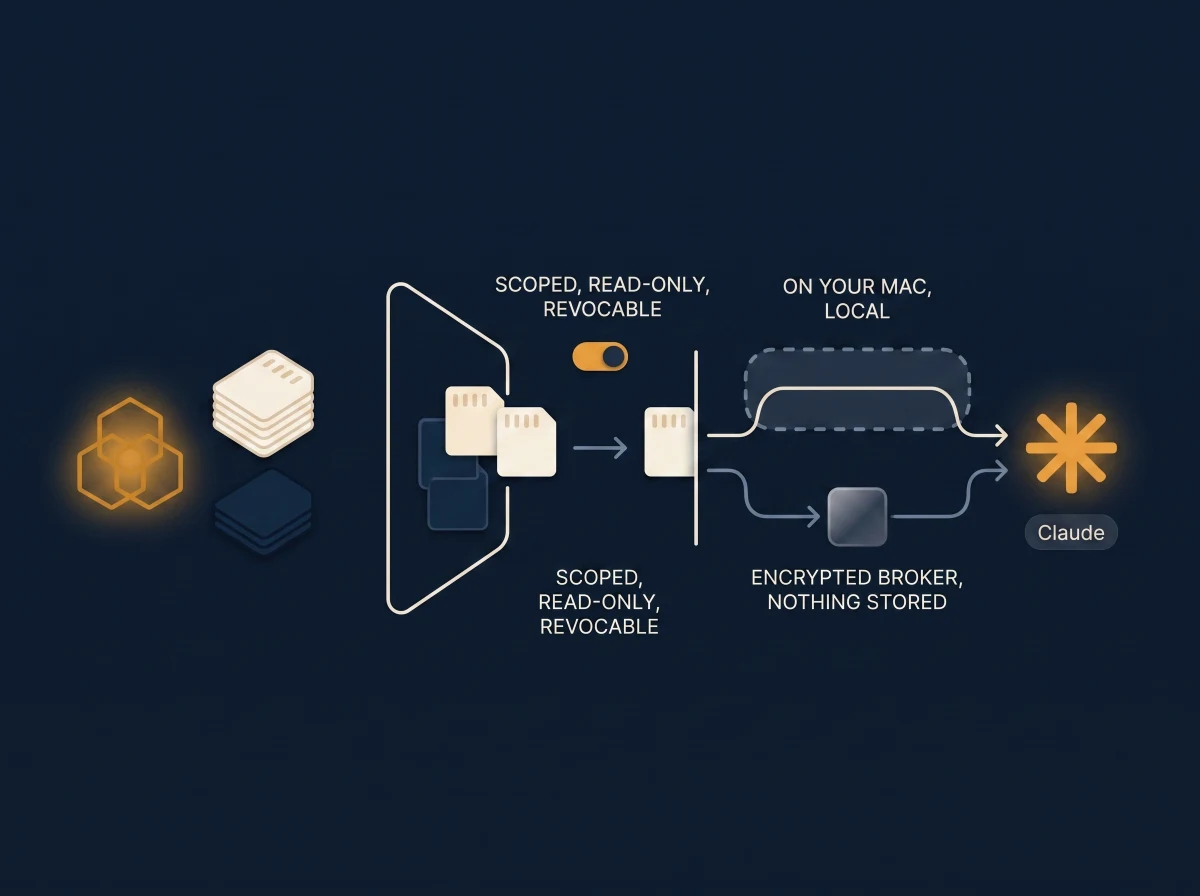
On Pro, you pick what Claude can read, and Stonekept hands it over only when you ask, only what you chose, only for that conversation. On your Mac it runs local-to-local, so nothing leaves the computer. Away from it, an encrypted broker passes along the chosen memories and never saves them. It works with your own Claude account.
Scoped, read-only, revocable. Turn it off any time.
A note on model sizes
Different devices run different sized models.
Stonekept's AI comes in two sizes, Stonekept Small and Stonekept Large. The one your device runs depends on how much memory it has, and the app picks it automatically. See exactly which devices run each one on the Devices page. The same things come out of either size (decisions, tasks, people, ideas); the larger model just writes longer verbatim quotes and picks up more of the detail.
Extraction runs entirely on-device. Pairing a Mac (Desktop Assist) is optional: it speeds things up and spares your phone's battery, and because the Mac can run Stonekept Large, you get higher-quality output even on a phone that only runs Stonekept Small.